@jkuester below is a screenshot of the terminal after running the command.
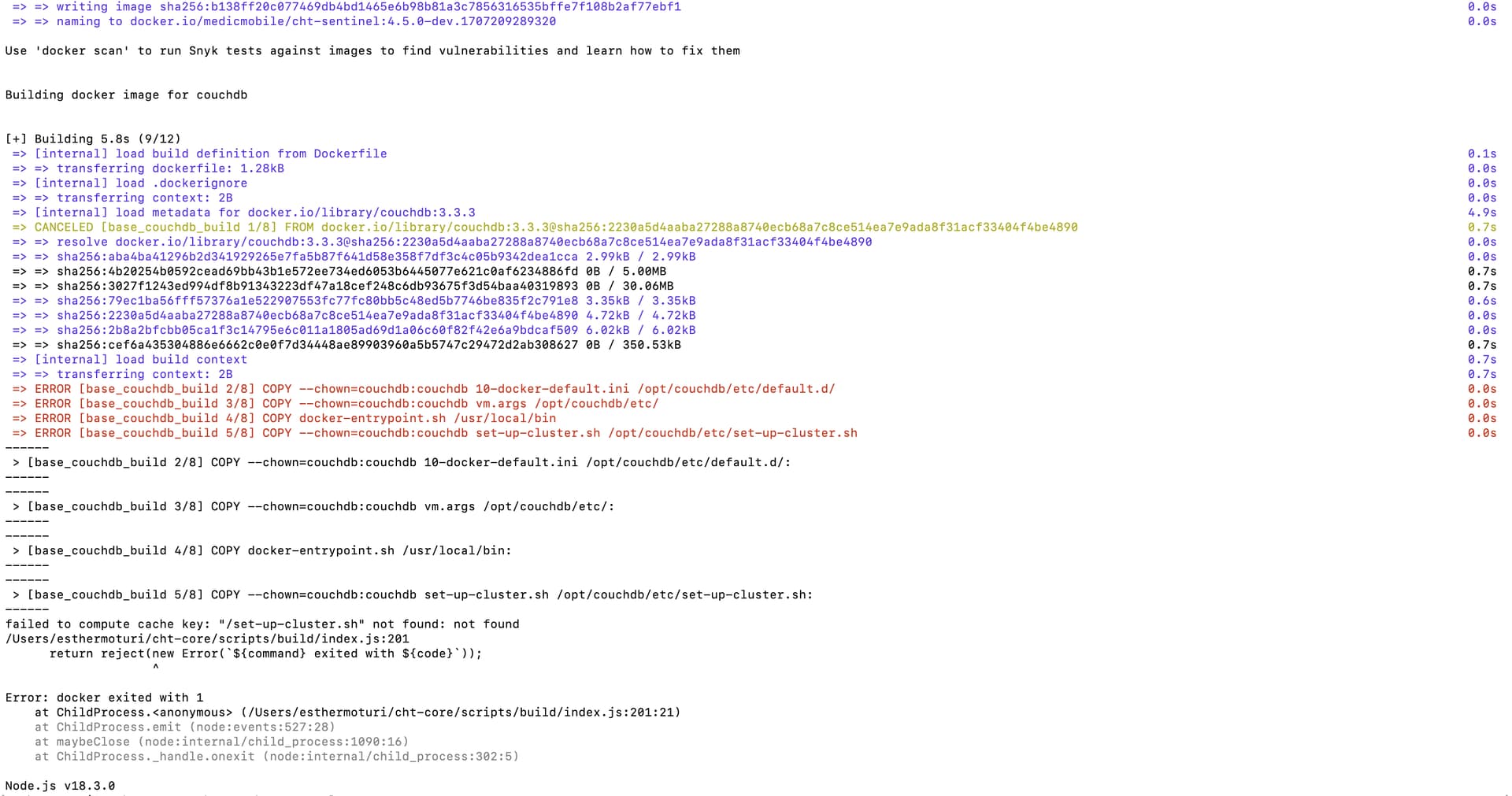
Failed to compute cache key: “/set-up-cluster.sh”: not found
Okay, so it looks like this line fails in the Dockerfile:
COPY --chown=couchdb:couchdb set-up-cluster.sh /opt/couchdb/etc/set-up-cluster.sh
Can you double-check to confirm that you do have a file at /Users/esthermoturi/cht-core/couchdb/set-up-cluster.sh?
Also can you let us know the result of docker -v? I have seen docker behave weirdly before when it comes to relative file paths. In this case, the Dockerfile has a relative reference to set-up-cluster.sh since it is just in the same directory as the Dockerfile.
This is the result , “Docker version 20.10.22, build 3a2c30b”
Can you double-check to confirm that you do have a file at
/Users/esthermoturi/cht-core/couchdb/set-up-cluster.sh?
The only file under couchDb is a Dockerfile
@Esther_Moturi & @Kymoraa, @mrjones has just documented a simpler way for running the CHT in dev mode on Apple Silicon machines. I tested it this morning and it worked nicely:
Here are the steps:
node -v && npm -v
v20.11.0
10.2.4
In the directory of the cloned cht-core (latest master branch), I ran:
npm ci
npm run build-dev

docker build -t couchdb-apple-silicon couchdb/.
mkdir -p ~/cht-docker
curl -s -o ~/cht-docker/docker-compose.yml https://staging.dev.medicmobile.org/_couch/builds_4/medic:medic:master/docker-compose/cht-couchdb.yml
cat > ~/cht-docker/couchdb-override.yml << EOF
version: '3.9'
services:
    couchdb:
        image: couchdb-apple-silicon
        ports:
            - "5984:5984"
            - "5986:5986"
EOF
I then run the three npm run commands in the Developing section, and managed to have the CHT open at http://localhost:5988/ correctly.
@Esther_Moturi, when you have some time, can you please try this simplified approach?
This is a problem! (And probably will cause issues with whatever approach you try…) Assuming your code is on a recent version, you should have quite a few files in that directory besides just the Dockerfile. Seems like something funky happened to your local cht-core. I would recommend deleting everything and re-cloning cht-core before trying the newly documented approach!
You were right Josh , I got the files when I deleted and reinstalled
cht-core
@Esther_Moturi - did you successfully build the couchDB image per Andra’s comment above now that you have a complete CHT Core repo checked out?
I am getting the error below when I run npm run dev-api and npm run dev-sentinel
can you be specific which of the two command outputs those errors? Can you copy and paste in a more of the lines leading up to the error?
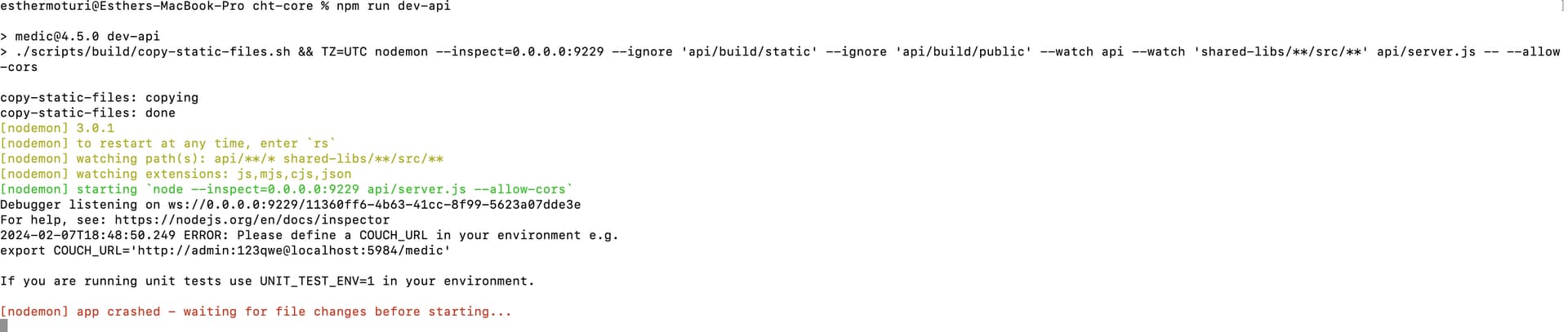
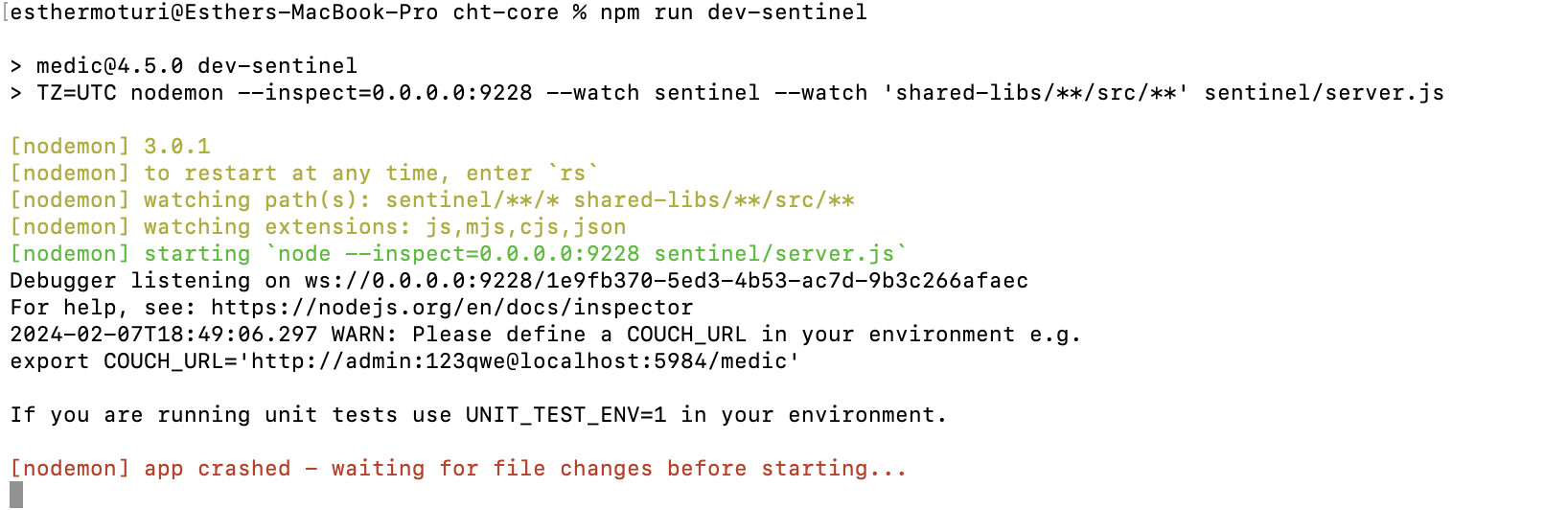
The error is kinda buried in all that text, but it’s the same in both cases. It seems you didn’t define the COUCH_URL environment variable, which is required for both api and sentinel.
I do notice that our current docs only have the two calls to export for COUCH_NODE_NAME and COUCH_URL only for the CHT 3.x instructions. These are shared for both 3.x and 4.x should be moved up into the " CHT Core Cloning and Setup" above.
@Esther_Moturi try running this (below) and I’ll submit a PR to move those two calls per above:
echo "export COUCH_NODE_NAME=nonode@nohost">> ~/.$(basename $SHELL)rc
echo "export COUCH_URL=http://medic:password@localhost:5984/medic">> ~/.$(basename $SHELL)rc
. ~/.$(basename $SHELL)rc
Okay, now I am getting an error. So I ran the commands provided by @andra , then defined my couch_url and couch_node_name which once I echo I get the correct values as below
esthermoturi@Esthers-MacBook-Pro cht-core % echo $COUCH_NODE_NAME && echo $COUCH_URL
nonode@nohost
http://medic:password@localhost:5984/medic
I then run npm run dev-api and npm run dev-sentinel and get the error below continuously
RequestError: Error: connect ECONNREFUSED 127.0.0.1:5984
    at new RequestError (/Users/esthermoturi/cht-core/node_modules/request-promise-core/lib/errors.js:14:15)
    at plumbing.callback (/Users/esthermoturi/cht-core/node_modules/request-promise-core/lib/plumbing.js:87:29)
    at Request.RP$callback [as _callback] (/Users/esthermoturi/cht-core/node_modules/request-promise-core/lib/plumbing.js:46:31)
    at self.callback (/Users/esthermoturi/cht-core/node_modules/request/request.js:185:22)
    at Request.emit (node:events:527:28)
    at Request.onRequestError (/Users/esthermoturi/cht-core/node_modules/request/request.js:877:8)
    at ClientRequest.emit (node:events:527:28)
    at Socket.socketErrorListener (node:_http_client:462:9)
    at Socket.emit (node:events:527:28)
    at emitErrorNT (node:internal/streams/destroy:151:8) {
  cause: Error: connect ECONNREFUSED 127.0.0.1:5984
      at TCPConnectWrap.afterConnect [as oncomplete] (node:net:1229:16) {
    errno: -61,
    code: 'ECONNREFUSED',
    syscall: 'connect',
    address: '127.0.0.1',
    port: 5984
  },
  error: Error: connect ECONNREFUSED 127.0.0.1:5984
      at TCPConnectWrap.afterConnect [as oncomplete] (node:net:1229:16) {
    errno: -61,
    code: 'ECONNREFUSED',
    syscall: 'connect',
    address: '127.0.0.1',
    port: 5984
  }
}
Could this be happening because I have CouchDB2 installed?